

● Film meets digital workflow

Log the shot.
Match the scan.

It's the notebook you always forget to bring. Tap once as you take each photo and Film Sidekick keeps the camera, lens, aperture, shutter, time and place. When the scans come back from the lab, it lines them up with your frames and writes every detail into the files.

Download on the App Store Download on the Mac App Store

Free to start, with a one-off upgrade when you want more.
iPhone, iPad, Mac and Apple Watch.

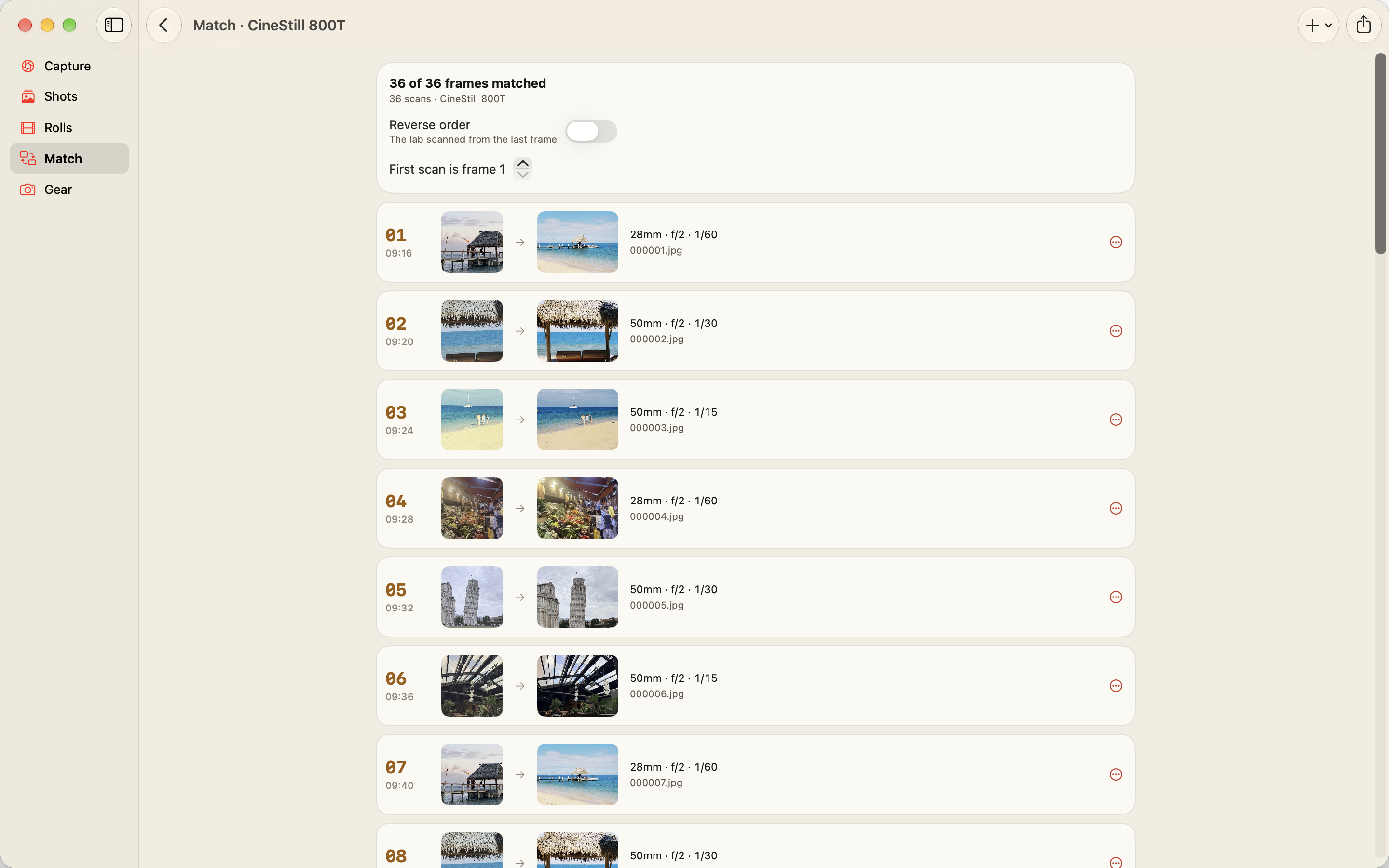
Film Sidekick on Mac, matching lab scans to logged frames
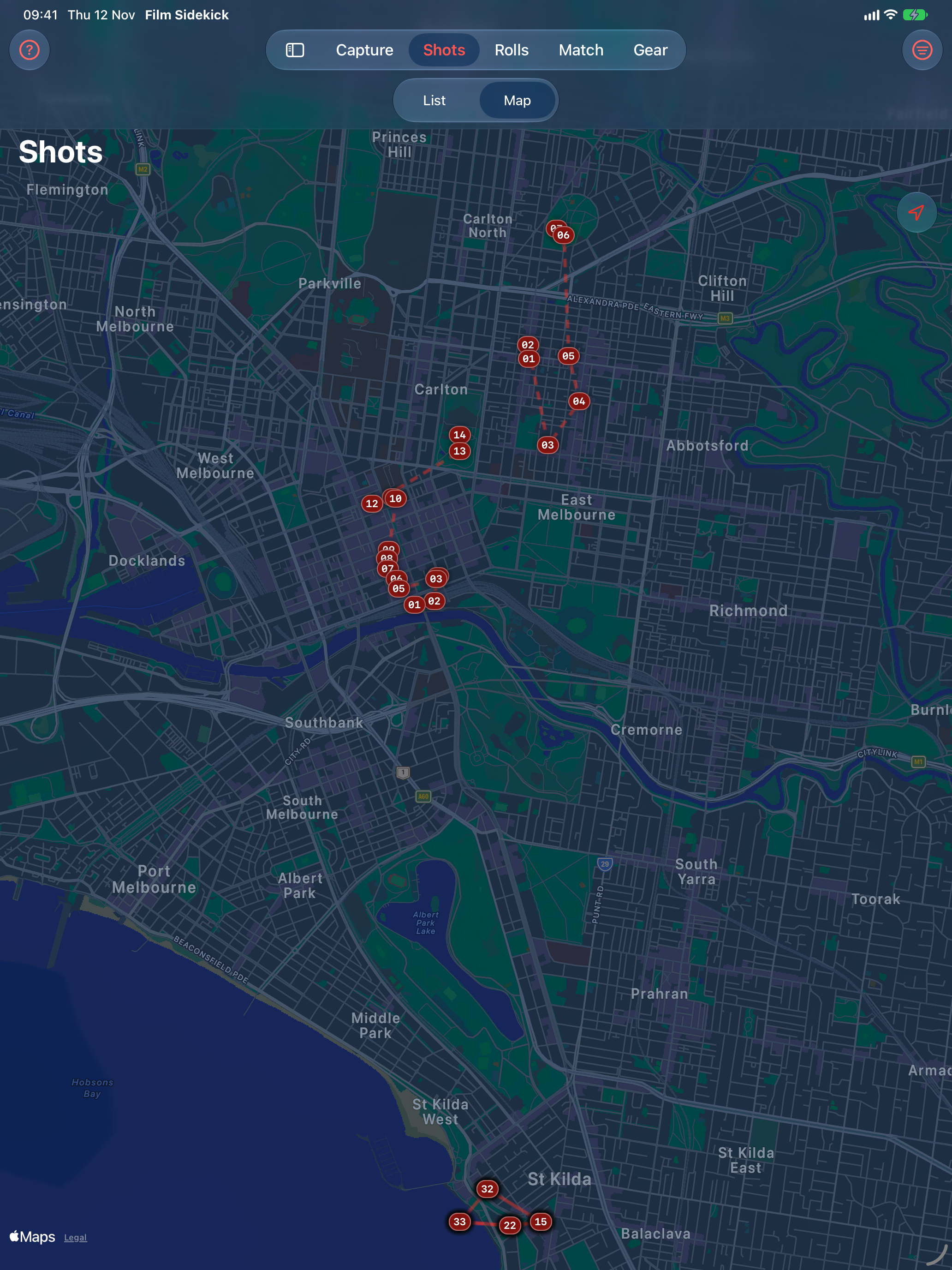
Film Sidekick on iPad, a roll of frames shown on a map
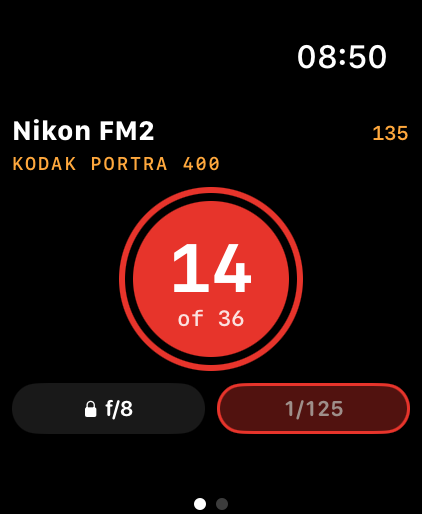
Film Sidekick on Apple Watch, logging a frame from the wrist
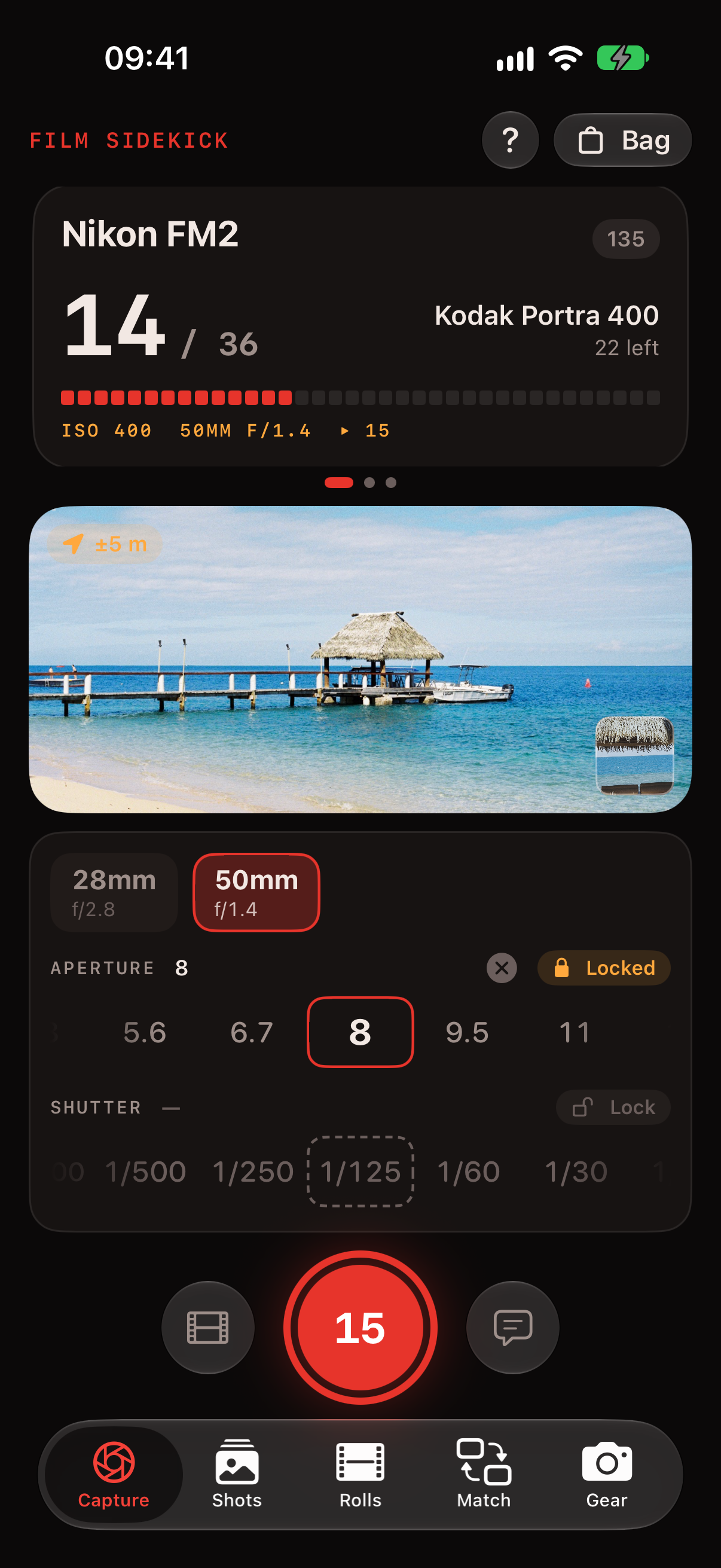
Film Sidekick on iPhone, the capture screen with aperture and shutter dials
How it works

From the shutter to the scan

One roll, start to finish. Film Sidekick sticks with it from the moment you load the camera until the scans are on your computer with every setting written in. No more guessing which one was f/8.

Strip 1In the field · At the lab
  1. Pack your bag

    Add your cameras and lenses once. Loading a roll takes two taps from a list of popular stocks, and if you're pushing or pulling it, just say so.

    35mm120SheetInstant
  2. Tap every frame

    One tap and the frame is logged with your camera, lens, exposure, time and location. Shooting at f/8 all day? Lock the dial and forget about it.

    iPhoneSiriAction buttonWatchLock Screen
  3. Off to the lab

    Drop it off and note where it went, the order number and when it's due. You'll never again wonder which lab has your Portra.

    Order no.Due date
Strip 2Back home
  1. Scans come back

    Pull them in from Photos or Files. On a Mac, just drag the lab's folder onto the window. Your originals stay untouched.

    Photos & FilesDrag & drop
  2. Match

    Scans line up with frames in order. Lab scanned it backwards, or slipped a blank leader in? A couple of taps sorts it out.

    Auto-matchFree
  3. Export

    Save copies with everything written in, to a folder or into Photos in an album named after the roll. One at a time is free. Premium does the whole roll at once.

    EXIFGPSIPTCWhole roll

Frame 14 · logged

Camera Nikon FM2
Lens Nikkor 50mm f/1.4
Exposure f/2 · 1/125
Film Portra 400
Place Degraves St

From the lab

000014.jpg

Your scan, written in

Make / Model Nikon FM2
Lens Nikkor 50mm f/1.4 AI-S
F-number 2 · Exposure 1/125
ISO 400 · Focal length 50mm
Date 2026:11:08 07:42 +11:00
GPS 37.8170° S, 144.9655° E
Caption Steam from the grate, backlit
© Your name
Features

What's in the bag

Little things that matter when you've got a camera in one hand and your phone in the other.

Built for shooting

No. 01
  • It never waits for GPS. Log the frame now and the location fills itself in a moment later.
  • Big dials you can work with your thumb, for aperture, shutter and the focal length on a zoom.
  • Jot a note or keep a tiny reference photo, so you can tell those six near-identical frames apart.
  • A counter on every roll. You'll know there are two left before the lever stops.
Your whole bag

No. 02
  • Fixed-lens compacts, zooms, and medium format bodies with backs that each keep their own roll.
  • Swipe between cameras and swap lenses with a tap.
  • Add your own stocks when the built-in list doesn't have them.
  • See what's still in the fridge and what's sitting at the lab.

After the shoot

No. 03
  • Look back at a roll as a list, or as a map of where you walked.
  • Phone clock an hour out? Shift the whole roll at once, or fix any frame by hand.

Match your scans

No. 04
  • Lab scanned the roll backwards? Flip it. Leader or blank in the batch? Mark it and everything shuffles along.
  • Drag a scan onto another frame and the two swap places.
  • JPEG and TIFF scans keep every pixel exactly as the lab sent them. HEIC has to be re-encoded, so you get asked first.
  • Your name and copyright go in too. Set them once in Settings.

Everywhere you shoot

No. 05
  • Your gear, rolls and frames sync through your own iCloud between iPhone, iPad and Mac.
  • Say “Log a frame in Film Sidekick”, or put it on the Action button and never look at the screen.

Yours, not mine

No. 06
  • There's no account to sign up for and nothing tracking you.
  • Your frames live on your devices and in your own iCloud. I can't see them, and I don't want to.
Formats 35mmHalf frame6456×66×76×9Large formatInstant
iOS 18+

iPhone

This is where the logging happens. Swipe to the camera you're holding, tap, keep walking.

iPadOS 18+

iPad

Spread a roll out on a big map, tidy up frames and drag scans around with room to spare.

macOS 15+

Mac

Drag the lab's folder onto the window and export tagged copies right where you edit. Your frames come across from your iPhone through iCloud.

watchOS 11+

Apple Watch

Log a frame from your wrist and set exposure with the Digital Crown. Your phone can stay in the bag.

Pricing

Free to start. Pay once if you love it.

The free version does the whole job for one camera, right down to matching scans and exporting them one by one. Premium is a single US$5.99 (A$9.99) purchase for everything else.

Admit one

Free

$0

  • One camera and lens, with one roll loaded at a time
  • Tap-to-log with location, notes and reference photos
  • Rolls tracked from the fridge to the lab
  • iCloud sync between iPhone, iPad and Mac
  • Siri, Shortcuts and the Action button
  • The Apple Watch app
  • Match scans and export them one by one
One-time purchase

Premium

US$5.99 · A$9.99

  • Export a whole roll at once
  • As many cameras and lenses as you own, with a roll in every one (and every back)
  • A Live Activity in the Dynamic Island while you shoot
  • A Lock Screen widget showing frames left
  • Shared with your family

Pay once and it's yours. “Restore Purchases” brings it back on any of your devices.

Help

Questions?

Most answers are below. If yours isn't, email me and I'll get back to you.

The full help guide goes from logging your first frame to getting a stubborn roll to match.

Email support

help@filmsidekick.app
Does Film Sidekick change my original scans?

Never. It only reads them and writes new copies, into a folder you pick or into Photos. If a file with that name is already there, the copy gets “ 2” on the end.

Which scan formats work?

JPEG and TIFF, untouched apart from the new details. HEIC works too, but it has to be re-encoded to take them, so you're asked first and can leave those files out. PNG and DNG files are skipped.

What if there's no GPS where I'm shooting?

Log away. The frame saves straight away and picks up its location once your phone finds one. You can add or fix a location later, too.

Is Premium a subscription?

No. You pay once (US$5.99, A$9.99 or your local equivalent) and that's it. It works with Family Sharing, and “Restore Purchases” brings it back on a new device. Refunds go through Apple at reportaproblem.apple.com.

Where is my data kept?

On your devices and in your own iCloud account. There's no Film Sidekick account, and I can't see any of it. The privacy policy has the details.

What do I need to run it?

An iPhone or iPad on iOS 18 or later. The Mac app needs macOS 15 and the watch app needs watchOS 11, but both are optional.

Go shoot a roll.

Load the camera and head out. When the scans come back, they'll know exactly where you were.

Download on the App Store Download on the Mac App Store